

On this page
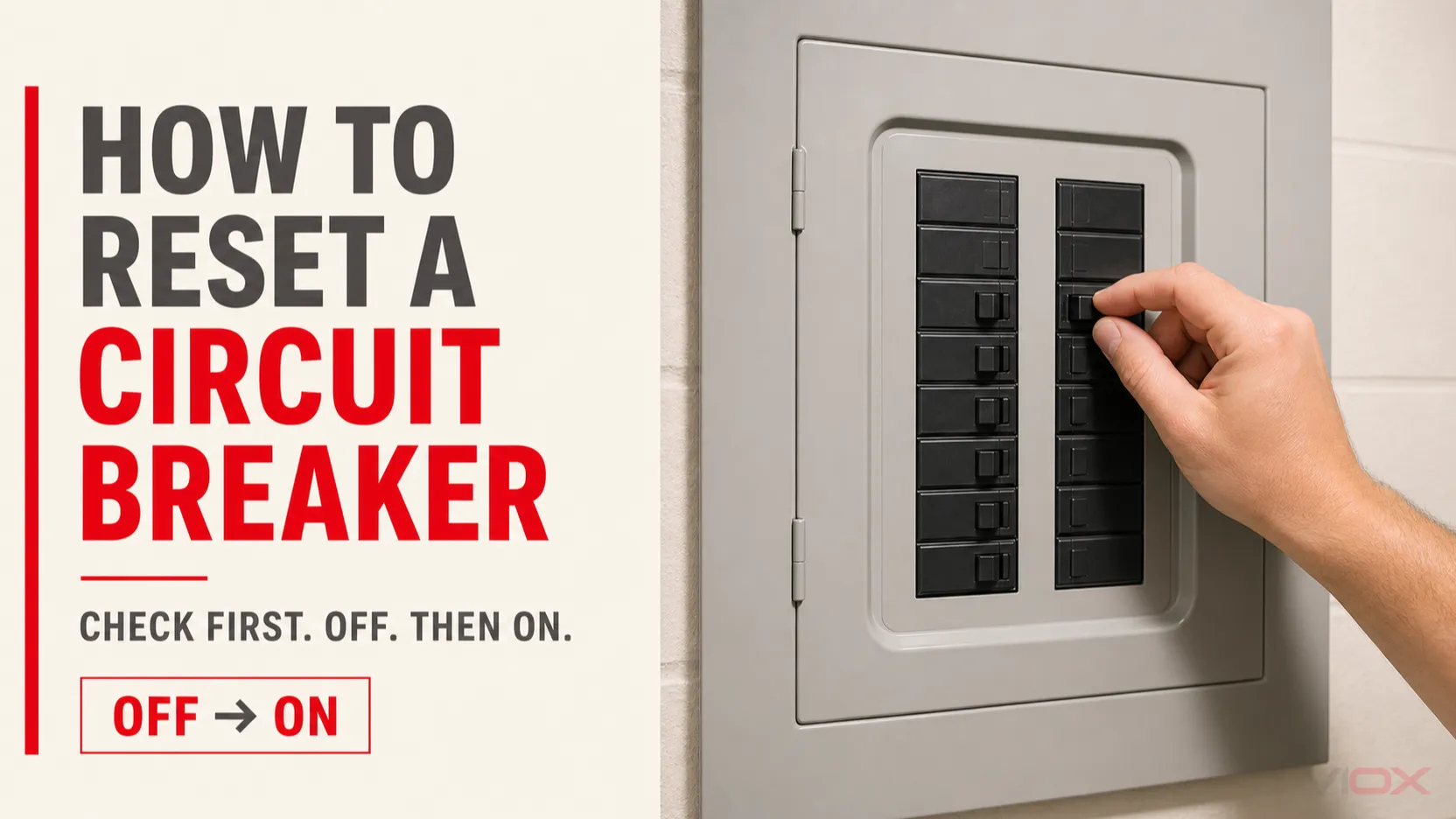
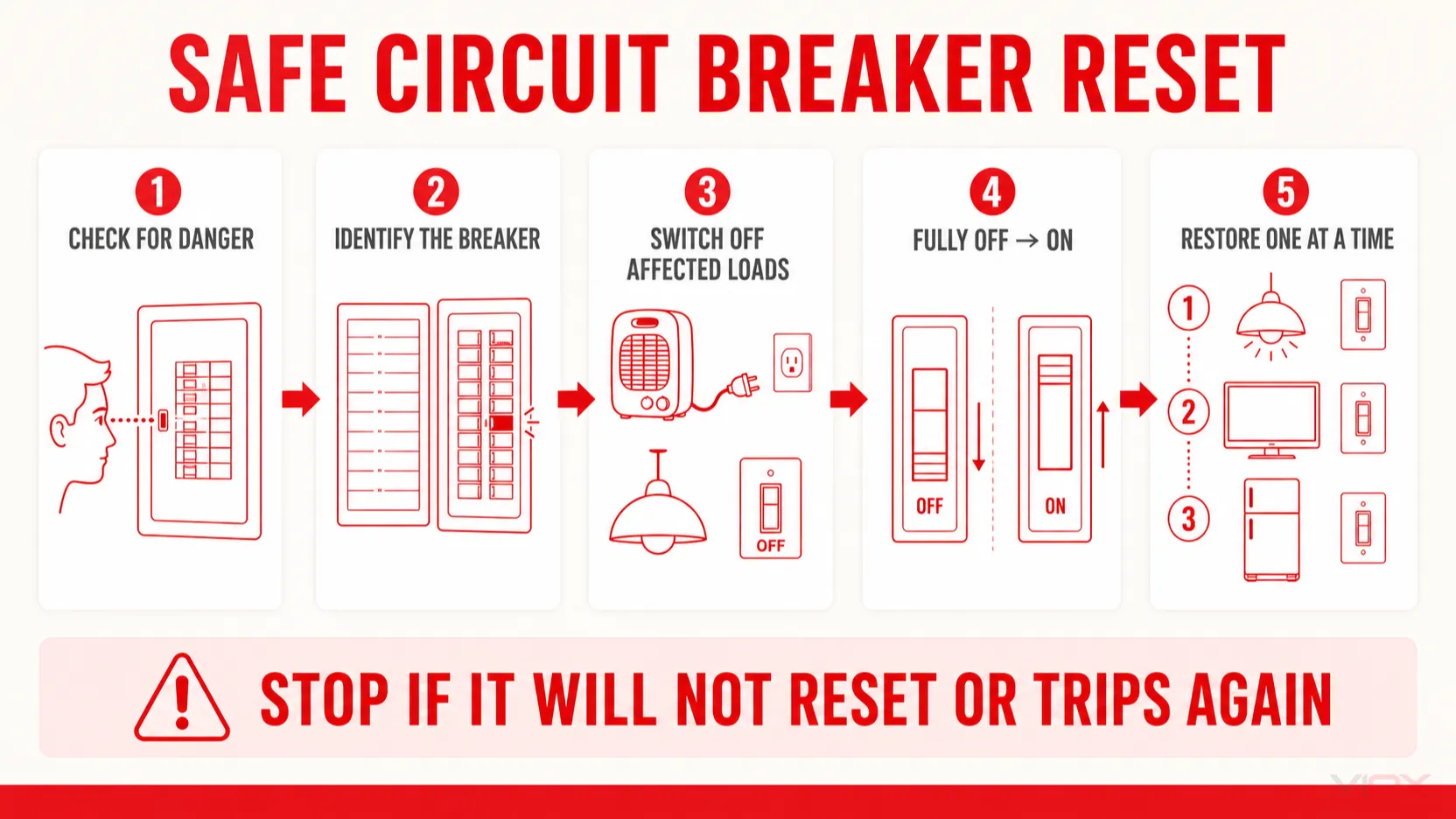
A tripped circuit breaker is normally reset by moving its handle fully to OFF and then back to ON. Before doing that, switch off or unplug loads on the affected circuit when it is safe and practical. Restore those loads one at a time after the breaker stays on.
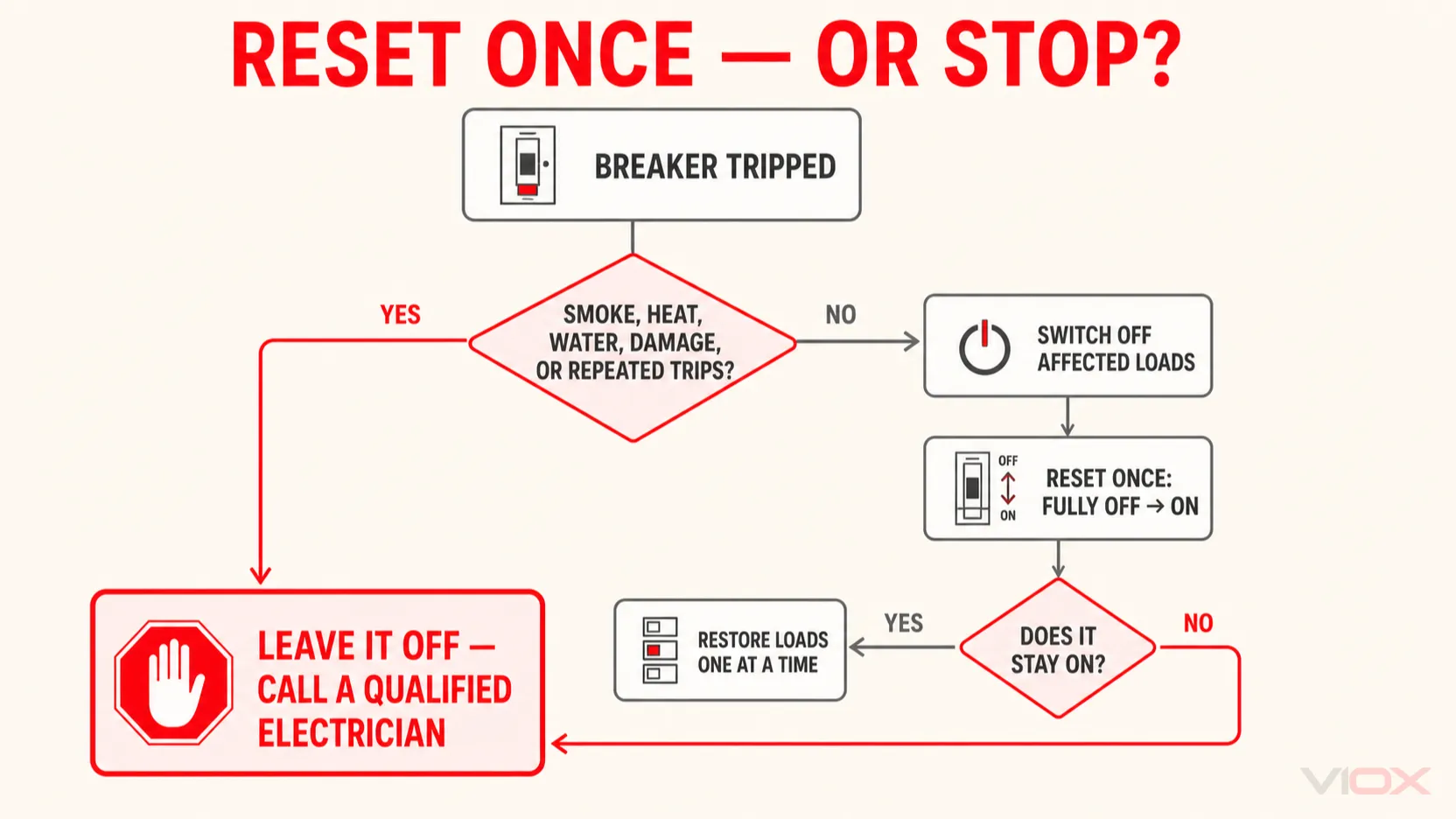
Do not attempt a reset if you notice smoke, a burning smell, unusual heat, buzzing, water near the panel, scorch marks, a damaged cover, or exposed parts. Stop if the breaker will not reset or trips again. These conditions need investigation by a qualified electrician.
Safe reset rule: Inspect first → turn off affected loads → move the handle fully OFF → move it ON → restore loads one at a time. A reset restores the mechanism; it does not remove the cause of a trip.
How to Tell If a Circuit Breaker Is Tripped
A loss of power does not always mean that the breaker is visibly sitting halfway between ON and OFF. Trip indication varies by product.
| What you observe | What it may mean | What to do |
|---|---|---|
| One room, outlet group, light circuit, or appliance has lost power | The breaker supplying that circuit may have tripped | Check the panel directory and inspect the corresponding breaker without removing the cover |
| One handle sits between ON and OFF or is out of alignment with the others | Common trip indication on many toggle breakers | Move that handle fully to OFF before attempting ON |
| A dedicated trip window, flag, or indicator is visible | The breaker may provide a product-specific trip indication | Follow the legend on the breaker or the manufacturer’s instructions |
| The handle appears to be ON but the circuit is dead | The handle position may not clearly show the trip, or another device or fault may be involved | Do not assume; move the identified breaker fully OFF and then ON only if the reset conditions below are safe |
| Several circuits are dead | An upstream breaker, residual-current device, supply problem, or another distribution issue may be involved | Identify the affected device and system boundary before operating anything |
Never remove the panel cover or touch conductors to find a tripped breaker. If the directory is missing, the equipment is damaged, or you cannot confidently identify the correct device, stop and use a qualified electrician.
For IEC-style miniature circuit breaker markings, see Which Is ON and OFF on an MCB?.
Should You Unplug Everything Before Resetting a Breaker?
You do not need to unplug everything in the building. The objective is to remove or reduce the load on the affected circuit.
- Unplug portable appliances connected to the affected receptacles when they are safe to reach.
- Switch off lights, heaters, air conditioners, motors, or other hardwired loads using their normal controls.
- Leave equipment on unrelated circuits alone.
- Do not interrupt medical, safety, process-critical, or other essential loads without an appropriate plan.
- If a plug, cord, appliance, outlet, or switch shows damage, heat, moisture, or a burning smell, do not reconnect it.
Disconnecting affected loads serves two purposes: it reduces the chance of immediately reapplying the same overload, and it allows loads to be restored one at a time. It does not prove that the wiring or breaker is healthy.
Manufacturer procedures differ by product. Eaton’s consumer-unit guidance, for example, uses a sequence of disconnecting appliances, attempting one reset, and reconnecting appliances individually when the protective device remains on. Leviton likewise instructs users to turn off or unplug downstream loads when a GFCI breaker will not reset or trips again. Follow the instructions for the installed equipment.
How to Reset a Tripped Circuit Breaker
This procedure applies to an accessible toggle-operated breaker when the enclosure is intact and no warning condition is present. It does not authorize removing covers, replacing a breaker, testing live conductors, or operating unfamiliar industrial switchgear.
1. Check whether a reset attempt is appropriate
Keep the breaker off and call a qualified electrician if there is:
- smoke, a burning smell, buzzing, crackling, or visible arcing;
- unusual heat, discoloration, melted material, or scorch marks;
- water, condensation, or flooding near the panel;
- a loose, damaged, missing, or open panel cover;
- a recent electrical fault or equipment damage that has not been investigated; or
- repeated tripping with no identified and removed cause.
2. Identify the affected breaker
Use the panel directory and the area that lost power to locate the likely breaker. Look for a handle that is centered, out of alignment, or showing a dedicated trip indicator—but remember that these features are model-specific.
Do not operate random breakers in a critical installation merely to discover which circuit they control. If circuit identification is uncertain, have the directory and circuit mapping corrected.
3. Switch off or unplug affected loads
Turn off or unplug loads supplied by the affected circuit when safe and practical. If the likely cause was too many simultaneous loads, remove enough load before attempting to restore power.
4. Move the breaker fully to OFF, then to ON
Move the handle firmly to the full OFF position. This resets the internal latch on common toggle-operated circuit breakers. Then move the handle to ON.
Do not simply push a tripped handle toward ON. Do not force a damaged, obstructed, or unfamiliar mechanism. No universal 30-second waiting period applies to ordinary toggle breakers; follow the manufacturer’s instructions if a particular device specifies a delay or a different sequence.
Schneider Electric’s instructions for several breaker families use the same essential sequence: move the handle from TRIPPED to OFF to reset the mechanism, then move it from OFF to ON to close the breaker.
5. Restore loads one at a time
If the breaker remains on, reconnect or switch on the affected loads individually. Pause long enough to observe whether one appliance or operating combination causes another trip.
- It stays on with all intended loads: service has been restored, but record the event if the cause is uncertain.
- It trips when one load is connected: leave that load disconnected and have the load and circuit evaluated.
- It trips only after several loads operate together: an overload or load-combination problem is possible; do not solve it by installing a higher-rated breaker.
- It trips immediately with the loads off: stop. A persistent circuit fault, wiring problem, protection-device condition, or incorrect identification may be involved.
The breaker trip diagnosis guide explains how overload and short-circuit evidence differ without turning this reset procedure into a full fault investigation.
What If the Breaker Will Not Reset or Trips Again?
Do not repeatedly cycle a breaker in an attempt to make it stay on.
| Result | What it may indicate | Safe next action |
|---|---|---|
| Handle will not move from TRIPPED to OFF | The handle may not have reached the full reset position, or the mechanism/application may differ | Check the product instructions; do not force an unfamiliar or damaged device |
| Handle moves OFF but will not remain ON with loads disconnected | A persistent downstream fault, wiring problem, breaker condition, or product-specific requirement may exist | Leave it off and call a qualified electrician |
| Breaker resets but trips immediately when one appliance is connected | The appliance, cord, receptacle, or associated circuit may be faulty | Leave the appliance disconnected and arrange evaluation |
| Breaker resets but trips again under normal loading | The circuit may be overloaded, the connection or load may be abnormal, or the breaker may require testing | Stop repeated resets and investigate the cause |
| Breaker stays on, but part of the circuit remains dead | Another protective device, open connection, local control, or wiring fault may be involved | Do not assume the reset solved the entire problem |
A breaker that does not stay on is not automatically defective. Conversely, a breaker that resets is not automatically healthy. Use How to Test If a Circuit Breaker Is Bad for the separate failure-assessment task; testing or replacement inside a panel belongs to qualified personnel.
AFCI, GFCI, RCBO, and Test-Button Breakers
A button on a protective device is not automatically a reset button.
- A North American ground-fault circuit-interrupter (GFCI) or arc-fault circuit-interrupter (AFCI) breaker commonly uses its handle for OFF-to-ON reset and a separate button for testing or diagnostics.
- A GFCI receptacle commonly has visible TEST and RESET buttons on the outlet face. Its operation should not be copied to a panel-mounted breaker.
- An IEC residual current operated circuit-breaker with integral overcurrent protection (RCBO) may have a test button, handle, status indication, and reset procedure defined by its manufacturer.
- Some molded-case or industrial breakers use rotary handles, stored-energy mechanisms, electronic trip units, interlocks, or remote controls. Their reset procedure is equipment-specific and may be restricted to qualified personnel.
Use the exact label and manufacturer instructions for the installed device. Do not press an unidentified button or assume that a TEST button restores power.
Quick Reset Checklist
- Stop for warning signs: smoke, burning odor, heat, water, arcing, visible damage, or repeated tripping.
- Identify the correct breaker: use the directory, affected area, handle position, and any product-specific trip indicator.
- Unload the affected circuit: unplug portable loads and switch off hardwired loads where safe and practical.
- Reset correctly: move the handle fully OFF, then ON.
- Restore gradually: reconnect affected loads one at a time.
- Stop if it fails: leave the breaker off if it will not reset or trips again.
Frequently Asked Questions
Do I need to wait before resetting a circuit breaker?
There is no universal 30-second waiting rule for ordinary toggle breakers. First remove the likely load or fault condition, move the handle fully to OFF, and follow the product instructions. If the breaker or connected equipment is unusually hot, damaged, or has just experienced a serious fault, do not reset it merely after waiting; arrange an inspection.
How can I tell whether a breaker needs to be reset?
Look for loss of power on the assigned circuit, a handle that is centered or out of alignment, or a product-specific trip indicator. Because indication varies, confirm the circuit identity and use the full OFF-to-ON motion rather than relying only on appearance.
Should I unplug appliances before resetting the breaker?
Unplug or switch off loads on the affected circuit when safe and practical. You do not need to disconnect equipment on unrelated circuits. Restore the affected loads one at a time after the breaker remains on.
Do I need to reset breakers after a power outage?
Normally, a utility outage alone does not require resetting branch breakers. Check for a tripped device only if power has returned elsewhere but a specific circuit remains off. If a main, transfer device, generator system, or several circuits are involved, identify the system state before operating equipment.
How many times should I try to reset a tripped breaker?
Make one controlled reset attempt after checking for warning signs and switching off affected loads. If the breaker will not stay on or trips again, leave it off and investigate the cause instead of repeatedly reclosing it.